Klonify

AI IMAGE GENERATOR

AI image generator: create the shot your video is missing.

AI image generator: create the shot your video is missing.

AI image generator: create the shot your video is missing.

Describe the scene in one sentence and add your product photo. Klonify creates the image in vertical, square or horizontal format and saves it to your library, ready for your TikTok Shop edit.

Describe the scene in one sentence and add the product photo. Klonify creates the image in vertical, square, or horizontal format and saves it to your library, ready for your TikTok Shop edit.

One insulated tumbler, three images

Klonify interface: AI-generated product images

Three images made with Klonify: the tumbler on a kitchen counter, a close-up of its lid, then held in hand.

What is an AI image generator?

An AI image generator creates an image from a written description. In Klonify, the French-built tool that makes sales videos for TikTok Shop, you describe the scene, add your product photo if you want, and pick 9:16, 1:1 or 16:9. The image lands in your library. It's included starting with the Pro plan, at €39/month.

Your real product in your video's scene

Stock photos don't show the product you're selling. Add its photo and describe the scene: "my black water bottle on a sunny picnic table." The image starts from your product, then you check the details against the real photo.

The right format from the start

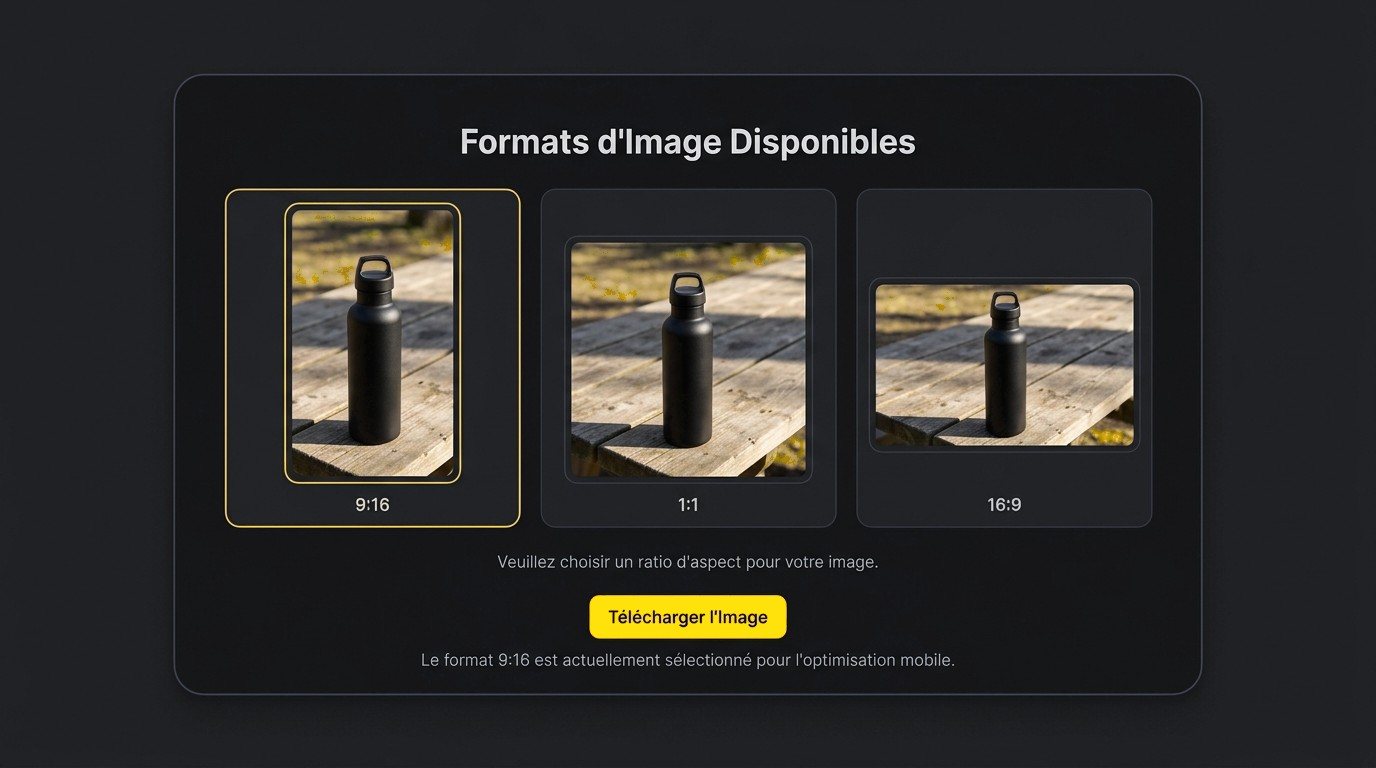
Pick 9:16 before you generate: the image comes out vertical, sized like a TikTok video, with no cropping afterward. Square 1:1 and landscape 16:9 are still there for your other visuals.

Images made where you edit your video

No more bouncing between an image site and your editing app. The generated image goes straight to your Klonify library, next to your videos, and drops into your edit in the editor.

YOUR SCENE

Describe the scene and add your product photo.

Describe the scene and add the product photo.

Describe the scene and add the product photo.

Example: "My black water bottle on a picnic table in the sun," with a photo of the bottle attached to the prompt.

One sentence with the product, the setting and the light is all it takes.

Prompt "My black water bottle on a picnic table in the sun" with the product photo and the Generate button

Pick your image format.

Pick your image format.

9:16 for a TikTok video, 1:1 for a square visual, 16:9 for a horizontal shot. The same scene adapts to the frame you choose.

Format picker in the AI image generator: the same water bottle in 9:16, 1:1 and 16:9
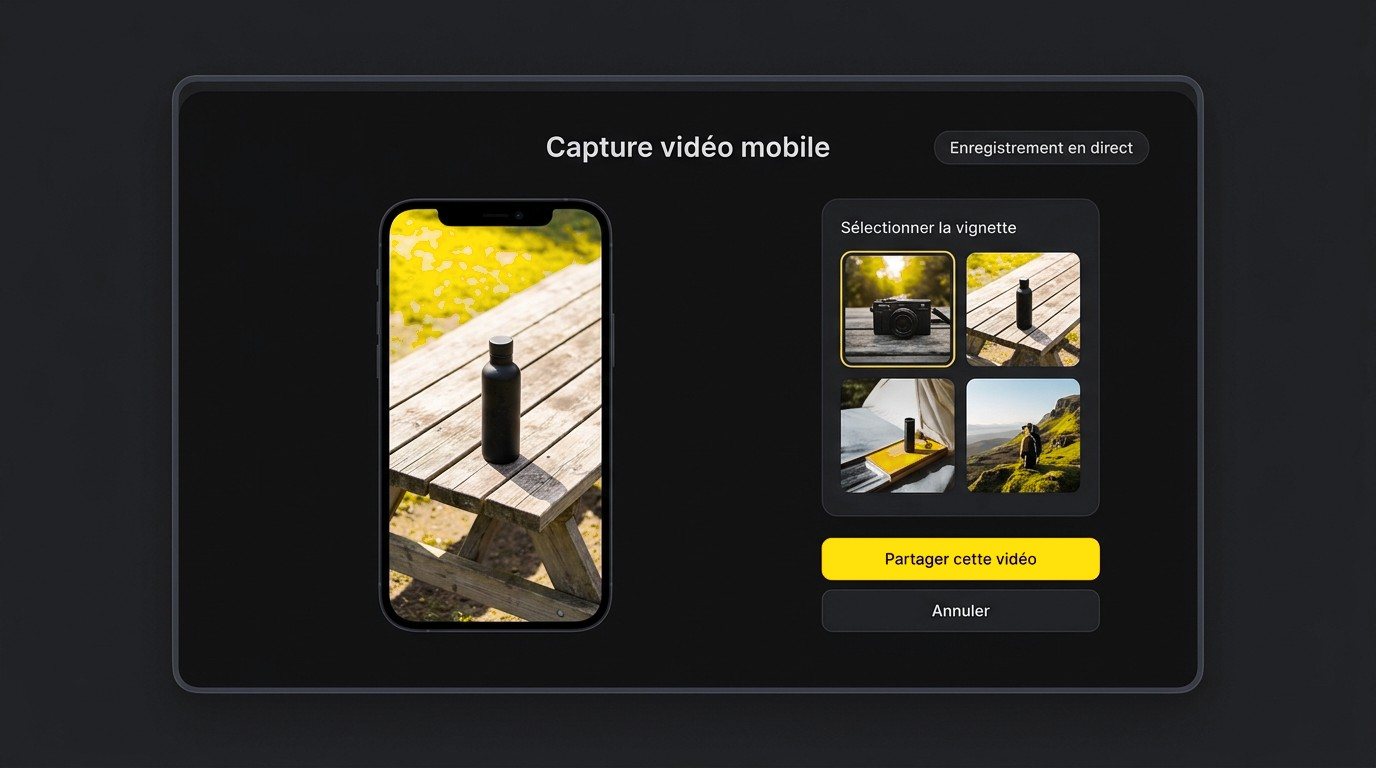
Vertical preview of the water bottle image on a phone, next to a library of thumbnails

Drop it into your video.

Drop it into your video.

The image joins your library with your other visuals, ready to add to your vertical edit.

Comparison

Klonify AI image generator or Midjourney: which one for TikTok Shop?

Midjourney creates images and videos for any use, with commercial use allowed, starting at $10/month. You use it on its website or on Discord. Klonify's image generator focuses on the visuals for your TikTok Shop videos, right inside the app where you edit the video.

Klonify compared to Midjourney
CriteriaKlonifyMidjourney
Built forImages for your TikTok Shop videosImages and videos, any use
Where you createIn Klonify, right next to your editOn midjourney.com or Discord
LanguageInterface and prompts in EnglishDocumentation in English
Free planNone, no-commitment subscriptionNone mentioned, subscription required before your first image
Starting price€39/month (Pro)$10/month (Basic), $8/month billed annually
Included in the planScripts, AI voice, prompts, editor and AI videosImages and videos, no voice or scripts in its documentation

Who's it for?

Midjourney is a fit if the image is your final product: it creates images and videos for any use, starting at $10/month. Klonify is a fit if the image supports a TikTok Shop video: you create it in vertical format, then drop it into your edit, all in the same plan as your script and voice.

Comparison based on official websites as of September 16, 2026. Midjourney prices shown in dollars.

Comparison

Klonify AI image generator or Midjourney: which one for TikTok Shop?

Midjourney creates images and videos for any use, with commercial use allowed, starting at $10/month. You use it on its website or on Discord. Klonify's image generator focuses on the visuals for your TikTok Shop videos, right inside the app where you edit the video.

Klonify compared to Midjourney
CriteriaKlonifyMidjourney
Built forImages for your TikTok Shop videosImages and videos for any use
Where you createIn Klonify, right next to your editOn midjourney.com or Discord
LanguageInterface and prompts in FrenchDocumentation in English
Free planNone, no-commitment subscriptionNone listed, subscription required before your first image
Starting price€39/month (Pro)$10/month (Basic), $8/month billed annually
Included in your planScripts, AI voice, prompts, editor and AI videosImages and videos, with no voice or script features in its docs

Who's it for?

Midjourney is a fit if the image is your final product: it creates images and videos for any use, starting at $10/month. Klonify is a fit if the image supports a TikTok Shop video: you create it in vertical format, then drop it into your edit, all in the same plan as your script and voice.

Comparison based on official websites as of September 16, 2026. Midjourney prices shown in dollars.

Comparison

Klonify AI image generator or Midjourney: which one for TikTok Shop?

Midjourney creates images and videos for any use, with commercial use allowed, starting at $10/month. You use it on its website or on Discord. Klonify's image generator focuses on the visuals for your TikTok Shop videos, right inside the app where you edit the video.

Klonify compared to Midjourney
CriteriaKlonifyMidjourney
Built forImages for your TikTok Shop videosImages and videos for any use
Where you createIn Klonify, right next to your editOn midjourney.com or Discord
LanguageInterface and prompts in FrenchDocumentation in English
Free planNone, no-commitment subscriptionNone listed, subscription required before your first image
Starting price€39/month (Pro)$10/month (Basic), $8/month billed annually
Included in the planScripts, AI voice, prompts, editor, and AI videosImages and videos, no voice or scripts in its documentation

Who's it for?

Midjourney is a fit if the image is your final product: it creates images and videos for any use, starting at $10/month. Klonify is a fit if the image supports a TikTok Shop video: you create it in vertical format, then drop it into your edit, all in the same plan as your script and voice.

Comparison based on official websites as of September 16, 2026. Midjourney prices shown in dollars.

What images should you create for a TikTok Shop video?

What images should you create for a TikTok Shop video?

What images should you create for a TikTok Shop video?

Here are three images that work well in a product video. In every case, keep the product looking like the real thing: TikTok Shop rules prohibit using AI to change its size, appearance or features.

Here are three images that work well in a product video. In every case, keep the product looking exactly like the real thing: TikTok Shop rules don’t allow you to use AI to change its size, look or features.

The problem, before the product

Tangled cables under a desk: viewers get the situation before the cable organizer shows up. Ask for an image with no text so there's room for your captions.

Tangled cables under a desk: viewers get the situation before the cable organizer shows up. Ask for an image with no text so there's room for your captions.

The product in action

The water bottle on a picnic table, the tumbler on a kitchen counter: add your product photo and describe where it gets used every day.

The water bottle on a picnic table, the tumbler on a kitchen counter: add your product photo and describe where it gets used every day.

A close-up on a detail

A lid, a material, a zipper: the close-up shows what your video explains. Compare it with the real product photo before you use it.

A lid, a material, a zipper: the close-up shows what your video explains. Compare it with the real product photo before you use it.

See the details in Klonify.

Get all the details in Klonify.

Find all the details in Klonify.

How it works

From product to TikTok Shop video in 3 steps.

Sign up free
Step 1: Add the product you want to feature.

STEP 1

Add the product you want to feature.

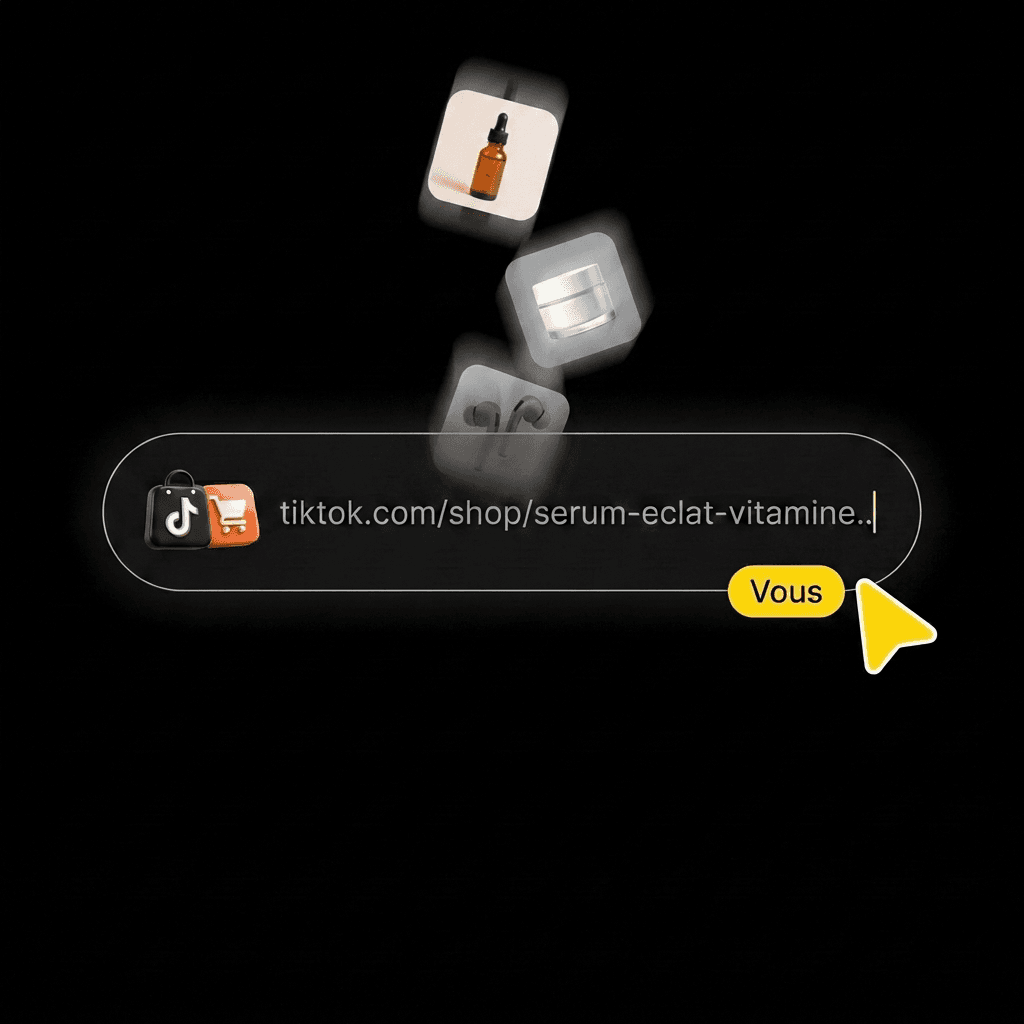
Paste its TikTok Shop link, upload a photo or pick it from your library.
Step 2: Create your video with AI.

STEP 2

Create your video with AI.

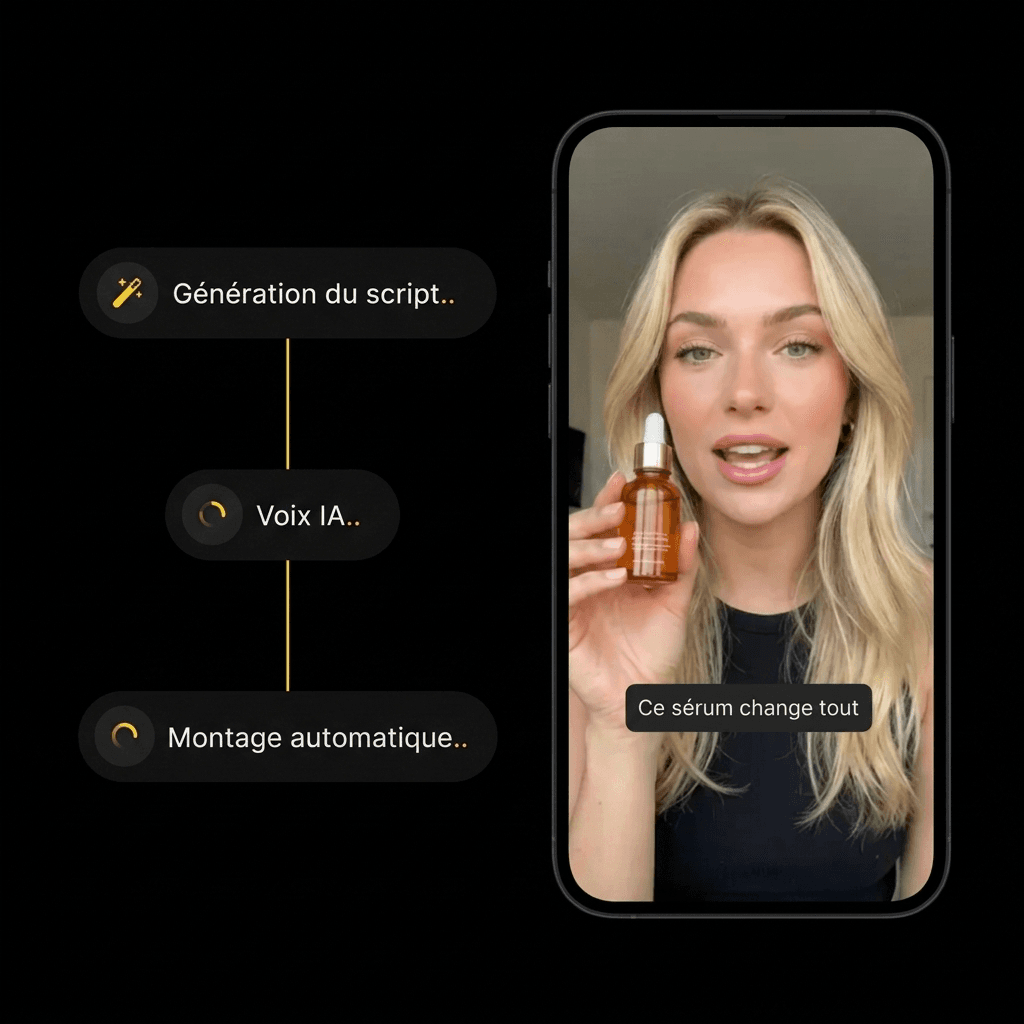
Pick an AI influencer and a scene. Hit generate, then check out the result.
Step 3: Post your video with the product.

STEP 3

Post your video with the product.

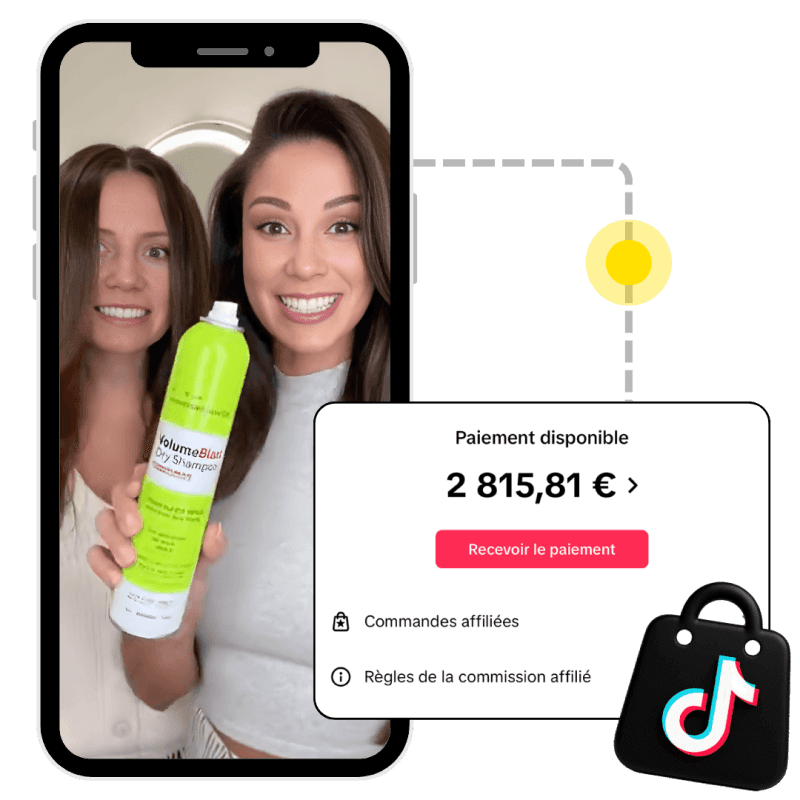
Someone buys the product from your video, and the brand pays you your commission.

FAQ

FAQ

FAQ

Pricing, product photos, formats, Midjourney, ChatGPT: get your answers before you generate.

Is Klonify's AI image generator free?

Can I generate an AI image from a photo?

What should I write to get a useful image?

Which image format should I use for TikTok?

Klonify or Midjourney for creating images?

Can you create AI images with ChatGPT?

Does the image generator also make videos?

Where do I find my generated images?

Find all the details in Klonify.

Get all the details in Klonify.

Find all the details in Klonify.

Finish your video

To finish your video

Finish your video

AI Prompt Generator

Explore →

AI Video Editor

Explore →

AI TikTok Shop Generator

Explore →

Find all the details in Klonify.

Get all the details in Klonify.

Find all the details in Klonify.

The Klonify solution

The shot your video is missing, made from your product.

Describe the scene and add the product photo. Klonify generates the image in TikTok format and saves it to your library, ready to edit.

Sign up free

Free sign-up

2,700+Active creators
€2M+In sales generated on TikTok Shop
5 minFor a video ready to post