
 Alibaba
Wan 3.0: online AI video generator
Great value, with sound. Videos from 2 to 15 s, up to 1080p, with sound.
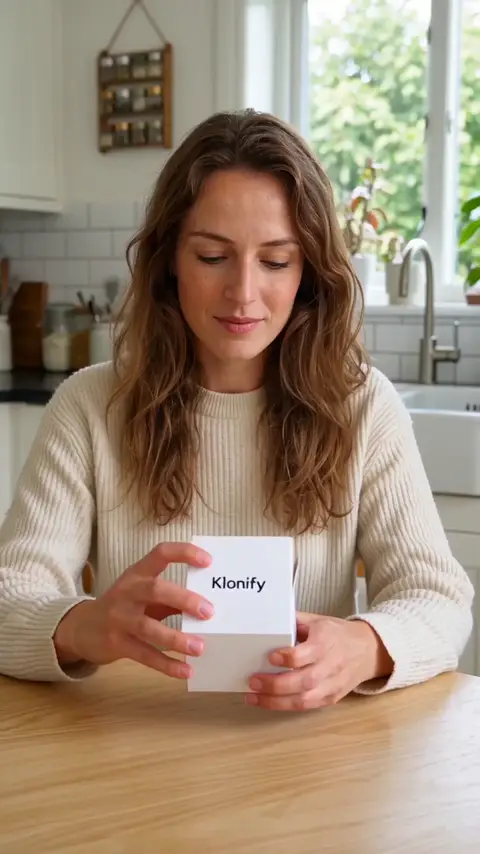
How to use Wan 3.0 on Klonify
Three steps in the Klonify studio, nothing to install.
Describe what you want
Write the scene in the top bar: who, what, where, and the camera move. You can also add a starting image with the "+" button.

Pick the settings
Format, length, resolution, sound: the credit cost updates in the bar with every setting.

Start and get the result
Launch with the credits button on the right of the bar: the result lands in your history, ready to review and download.
What is Wan 3.0 ?
Wan 3.0, Alibaba's video model, generates 2 to 15 second videos in 720p or 1080p, with native sound you can turn on. Great value for videos that talk or need ambient sound.
Model built by Alibaba, ready to use right in the Klonify studio.
Pick Wan 3.0 for a video with sound at a fair price. For a sharper look, switch to Wan 3.0 Prime; for ByteDance's best, go with Seedance 2.5.
Try Wan 3.0
Prompt examples for Wan 3.0
Copy an example into the creation bar, then swap the product, place or character for yours.
A young woman facing the camera in her kitchen says: "This blender changed my mornings," then turns it on, kitchen sounds.
Waves crash on rocks at sunset, sound of waves and wind, wide shot.
A barista makes a latte in a busy café, sound of the machine and chatter, close-up.
Wan 3.0 vs other models
| Feature | Wan 3.0 | Wan 3.0 Prime | Happy Horse 1.1 | Kling 4.0 | Kling 4.0 Flash |
|---|---|---|---|---|---|
| Developer | Alibaba | Alibaba | Alibaba | Kling | Kling |
| Duration | 2–15 s | 2–15 s | 3–15 s | 3–15 s | 3–15 s |
| Max resolution | 1080p | 1080p | 1080p | 1080p | – |
| Native audio | Optional | Optional | Always included | No | No |
| Reference images | 1 | 1 | 1 | 1 | 1 |
| Formats | 9:16, 16:9, 1:1 | 9:16, 16:9, 1:1 | 9:16, 16:9, 1:1 | 9:16, 16:9, 1:1 | 9:16, 16:9, 1:1 |
What you can create with Wan 3.0
Every piece of content can become income on Klonify.
Viral shorts
One video a day on TikTok, YouTube Shorts and Reels, without showing your face.
Learn more
TikTok Shop videos
Your AI influencer presents products and earns a commission on every sale.
Learn more
Faceless YouTube videos
Long videos with voiceover and generated visuals, without showing up.
Learn moreWhat Wan 3.0 does best
What makes the difference with this model.
Optional sound
Turn on sound in the bar: noises, ambience and voices come out with the picture.
Great value
A 1080p video with sound costs less than with most other sound models.
2 to 15 seconds
Long enough for a full product demo in a single shot.
Other models to try
Every model runs on the same credits.
- Wan 3.0 Prime
Wan 3.0 Prime is the higher-quality version of Wan 3.0. Same settings (2 to 15 seconds, 720p or 1080p, optional sound), with a sharper look for the shots you post.
All about Wan 3.0 Prime - Happy Horse 1.1
Happy Horse 1.1, a video model from Alibaba, generates realistic 3 to 15 second videos in 720p or 1080p, with sound always included and synced to the picture.
All about Happy Horse 1.1  Kling 4.0
 turns text or a starting image into a 3 to 15 second video, in 720p or 1080p. It's the model to pick when motion has to look smooth and believable: a person walking, a product being handled, a camera following the action.
All about Kling 4.0- Kling 4.0 Flash
Kling 4.0 Flash is the fast, cheaper version of Kling 4.0. It generates 3 to 15 second videos in 720p, from text or a starting image.
All about Kling 4.0 Flash
Wan 3.0 FAQ
What length and resolution does Wan 3.0 offer?
Wan 3.0 generates 2 to 15 s videos, in 720p, 1080p, in 9:16, 16:9, 1:1 formats.
Does Wan 3.0 generate sound?
Yes, as an option: turn on sound in the bar before you start. The price shown takes that into account.
Can I start from my own photos with Wan 3.0?
Yes: add a starting image (your product, your AI influencer) with the "+" button in the bar, and Wan 3.0 brings it to life.
When should you pick Wan 3.0?
Pick Wan 3.0 for a video with sound at a fair price. For a sharper look, switch to Wan 3.0 Prime; for ByteDance's best, go with Seedance 2.5.
How much does Wan 3.0 cost on Klonify?
Wan 3.0 runs on Klonify credits, included in the plans. The exact cost depends on your settings (duration, resolution, sound) and shows in the bar before you start. If a generation fails, your credits are refunded.
Do you need an account to use Wan 3.0?
You can set up your request without an account. To start the generation, create your Klonify account: credits are included in the plans.
Where do I find what I made with Wan 3.0?
Every generation is saved in the studio history and in your projects. You can view and download it anytime.