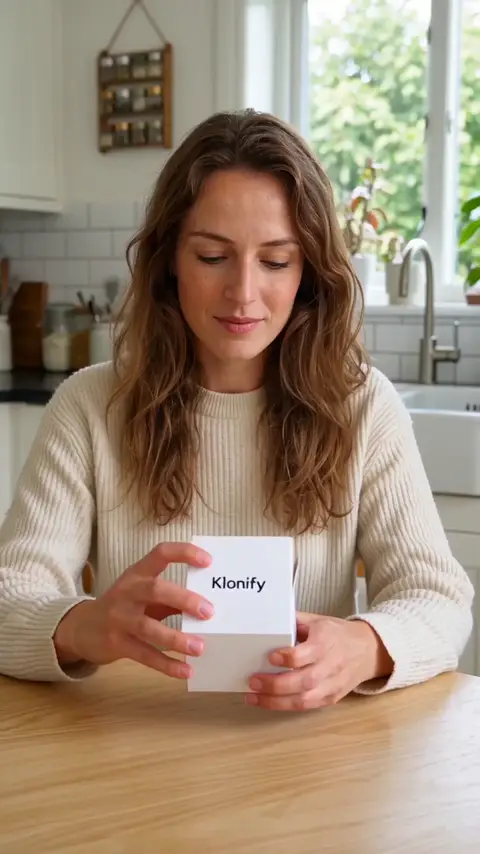
Clean up the product photo
Remove hands, objects and clutter around the product so the video model stops animating what gets in the way.
Learn more

Video
Image
Audio
Paid per view
For you or your clients
Inspiration
Company
Upload a product shot, a portrait or an illustration and describe the motion: Kling 4.0, Seedance 2.5, Gemini Omni Flash, Wan 3.0 and more animate it while keeping the original face, product and setting.
Animate an imageFrom photo to ready-to-post video in five steps, with no animation software.
In the Klonify Video studio, choose Kling 4.0 for smooth motion, Seedance 2.5 for a cinematic shot with sound, Gemini Omni Flash for a person who talks, or Wan 3.0 for great value.
 Kling 4.0
 Seedance 2.5
 Gemini Omni Flash 1.2
 Wan 3.0
Use the + button to add your photo: a product, a portrait, your AI influencer or an illustration. Pick a sharp, well-lit image in the same format as the video you want.

Write what moves and how the camera films it: "slow dolly in", "she smiles and turns her head". No need to describe what is already in the picture.
Describe the image you want to generate…
Kling 4.09:16 for TikTok, Reels and Shorts, 16:9 for YouTube, 1:1 for a feed post. Pick the duration, resolution and audio when the model offers it. The price updates as you go.
Run the generation, compare a few takes and download the best one. You can extend it with Extend or send it to editing with the Super Agent.
Image to video AI takes a still photo and adds motion to it. The model uses your picture as the first frame of the video, then animates what you describe: the camera pushing in, the product spinning, the person smiling and turning their head.
It is the method to use when the look has to stay exact. The model starts from your photo instead of inventing the scene, so the bottle shape, the label, the facial features and the background stay the same. That matters for a product video, an ad or an AI influencer who needs to stay recognizable.
On Klonify, every model that generates video accepts a start image: Kling, Seedance, Gemini Omni, Wan, Vidu, MiniMax, PixVerse, Luma and more. Gemini Omni Flash takes up to 4, to keep a person's real face across several angles. The credit cost shows before every video.
Animate an imageThe Klonify tools that go with image to video, from raw photo to final shot.
Remove hands, objects and clutter around the product so the video model stops animating what gets in the way.
Learn moreNo photo yet? Generate one with Nano Banana Pro, Seedream or FLUX, then send it to the Video studio.
Learn moreDescribe the idea in one sentence and the prompt generator writes the framing, camera move and lighting.
Learn moreAdd 2 to 30 seconds to the end of the shot: what comes next keeps the setting, the voice and the product.
Learn moreAdd your photo, copy a prompt and adapt it to what is in your picture.
Slow dolly in on the bottle, light slides across the glass, a few drops run down the side, background unchanged.
The woman in the photo smiles, turns her head slightly toward the camera and tucks a strand of hair behind her ear, static camera, natural light.
The camera rises gently above the living room, the curtains move in the breeze, sunlight drifts across the wooden floor.
The fox in the illustration turns a page of the book, autumn leaves fall around him, watercolor style kept.
They all accept a start image. Each one has its strengths: motion, audio, length or price. List updated November 2026.
Kling 4.0 turns text or a starting image into a 3 to 15 second video, in 720p or 1080p. It's the model to pick when motion has to look smooth and believable: a person walking, a product being handled, a camera following the action.
Seedance 2.5 is the latest video model from ByteDance, TikTok's parent company. It generates very realistic 4 to 15 second videos, in 720p or 1080p, with native sound you can turn on.

Gemini Omni Flash 1.2, Google's model, generates 3 to 15 second videos in 720p or 1080p, always with a native voice. It accepts up to 4 reference images and keeps the person's real face.
Wan 3.0, Alibaba's video model, generates 2 to 15 second videos in 720p or 1080p, with native sound you can turn on. Great value for videos that talk or need ambient sound.
Vidu Q3 generates 1 to 16 second videos in 720p or 1080p, with sound, from text or an image.
MiniMax H3 Max generates 2 to 15 second videos in 768p or 1080p, from text or an image. It gives you natural motion at a low price.
PixVerse V6 generates 1 to 15 second videos in 720p or 1080p, with sound you can turn on. It's built for effects and dynamic motion.
Luma Ray 3.2 generates 5 or 10 second videos in 540p, 720p or 1080p, from text or an image.
| Feature | Kling 4.0 | Seedance 2.5 | Gemini Omni Flash 1.2 | Wan 3.0 | Vidu Q3 | MiniMax H3 Max |
|---|---|---|---|---|---|---|
| Developer | Kling | ByteDance | Alibaba | Vidu | MiniMax | |
| Duration | 3–15 s | 4–15 s | 3–15 s | 2–15 s | 1–16 s | 2–15 s |
| Max resolution | 1080p | 1080p | 1080p | 1080p | 1080p | 1080p |
| Native audio | No | Optional | Always included | Optional | Optional | No |
| Reference images | 1 | 1 | 4 | 1 | 1 | 1 |
| Formats | 9:16, 16:9, 1:1 | 9:16, 16:9, 1:1 | 9:16, 16:9 | 9:16, 16:9, 1:1 | 9:16, 16:9, 1:1 | 9:16, 16:9, 1:1 |
An animated photo can turn into income. Here are the most popular uses on Klonify.
A product photo becomes a video where your AI influencer presents it, so you earn a commission on every sale.
Learn more
Listing photos become a room-by-room video tour you deliver to an agency or a short-term rental host.
Learn moreYour AI influencer holds a brand's product on camera, for a UGC ad the brand pays you for.
Learn moreWhat separates a photo that wobbles from a real video.
The model carries over every flaw in your photo. A blurry, dark or badly framed image gives a blurry, dark or badly framed video.
The model already sees your photo. Your prompt is there to say what moves, in which direction, and how the camera films it.
A person who smiles then turns their head, a product spinning on itself: one simple action avoids distorted hands and faces.
A vertical photo for a 9:16 video, a horizontal photo for 16:9. The model then has nothing to invent at the edges.
Open the Klonify video generator, add your photo with the + button, describe the motion in the prompt, pick the format and run the generation. The model animates your photo and keeps its details.
Kling 4.0 for smooth, believable motion, Seedance 2.5 for a cinematic shot with sound, Gemini Omni Flash 1.2 for a person who talks, Wan 3.0 or MiniMax H3 Max for great value. The comparison table above sums up the differences.
The model starts from your photo, so shapes, colors and features carry over. For a face, Gemini Omni Flash accepts up to 4 reference images and keeps the person's real face. Compare a few takes before you post.
Each model has its own credit price, based on duration, resolution and audio. The exact cost shows on the button before you start. A failed generation is not charged. Credits are included in Klonify plans.
Depending on the model, from 1 to 16 seconds per generation: up to 15 seconds with Kling 4.0, Seedance 2.5 and Wan 3.0, up to 16 seconds with Vidu Q3. Extend then adds 2 to 30 seconds to the end.
Gemini Omni Flash always generates audio, voice included. Seedance 2.5, Wan 3.0, Vidu Q3 and PixVerse V6 offer it as an option. Kling 4.0 and MiniMax H3 Max render without sound: add a voiceover or a sound effect with Klonify's audio tools.
A sharp, well-lit photo with a clear subject, in the same format as the video. Avoid blurry or very dark photos, or shots crowded with objects around the product.
Yes, but the model will animate those objects too. Run your photo through the product cleanup app first: it keeps your product alone and unchanged on a white background.
Yes. The model keeps the style of your image (watercolor, 3D, cartoon) and animates what you describe. Add "style kept" to your prompt.
Yes. Pick your AI influencer in the references and they appear in the video with their face and style. Motion transfer also lets them copy the gestures from a filmed video.
The videos you generate are yours: you can post them and use them in your content and ads, as long as you have the right to use the start photo, following each platform's rules and the Klonify terms of use.
More than 20 video models that accept a start image. The price shows before every generation.
Open the video generator

 FLUX 3